
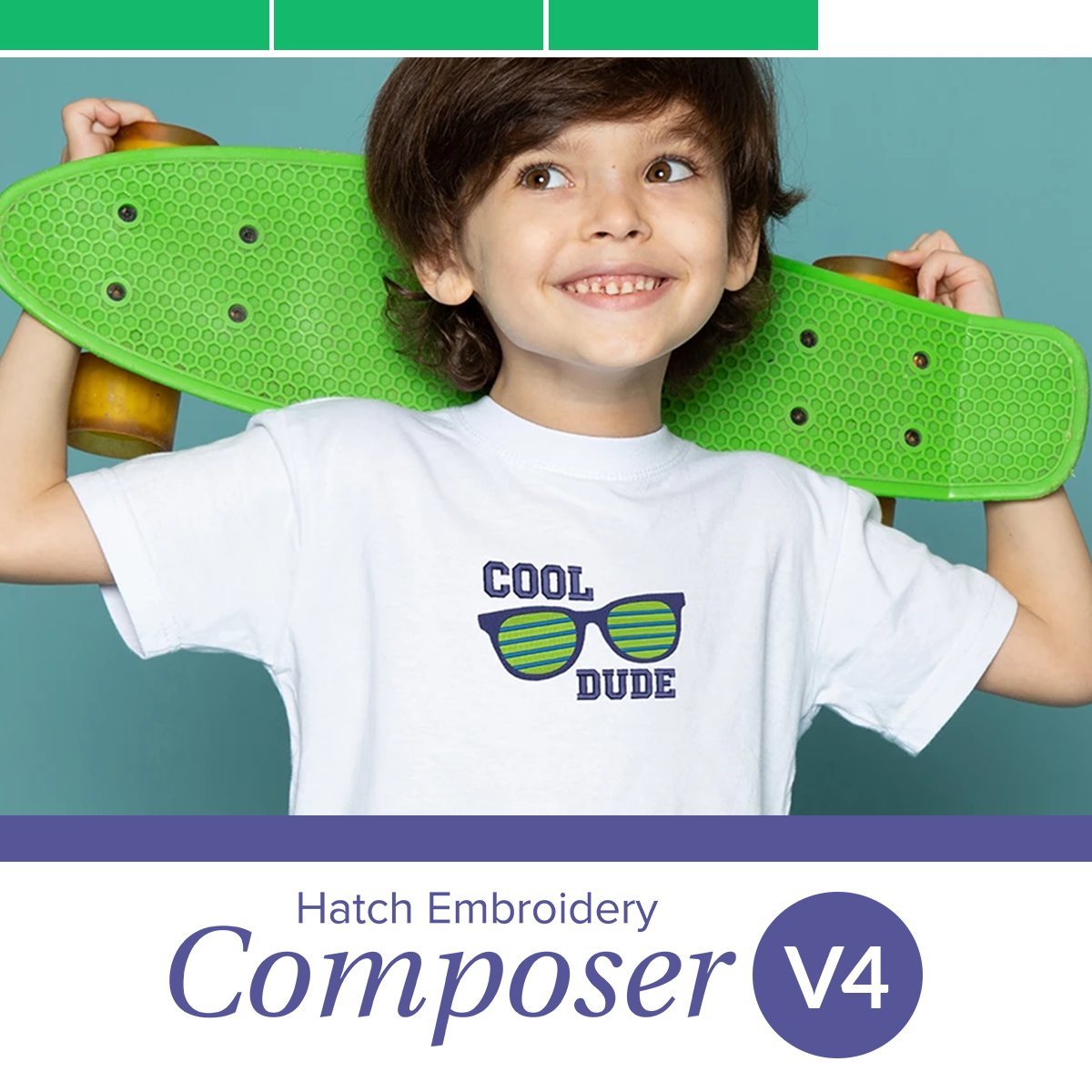
Hatch Embroidery Composer Version 4 by Wilcom
In Stock
SKU: W-ComposerV4

This product requires Windows 11 64-bit for the best experience. Please ensure your computer meets these system requirements before downloading or purchasing.
Take creative control and compose designs without needing to digitize!
Hatch Composer is the perfect choice of software for those who desire to be highly creative without learning the art of digitizing. Create your own unique designs quickly and easily by editing and customizing everything to your individual style with professional monogramming, lettering and more. With auto-digitizing, multi-hooping, reshaping, design object editing, vector file support and more, you have an exponential amount of creative control.
With Composer V4 and its new improvements, there is even more you can do. Use new features like multi-blend, answers docker, design explorer, stop function, applique pattern print, and more, to enhance your designs.

NEW Answers Docker
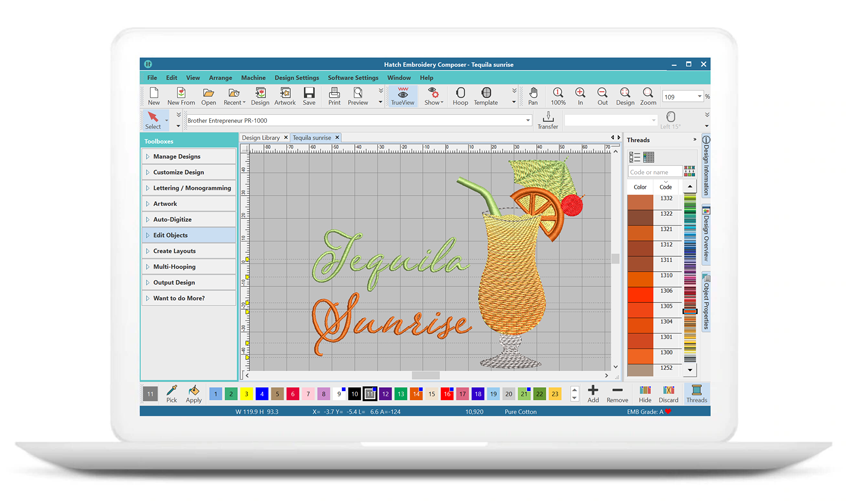
Hatch Embroidery 4 introduces Answers Docker, a built-in AI-powered assistant designed to provide instant embroidery guidance directly inside the software. Whether you need help understanding tools, troubleshooting a feature or learning a new technique, Answers Docker gives users fast access to helpful information without leaving their workspace. This makes learning easier for beginners while also helping experienced users work more efficiently with quicker access to support and guidance.
NEW Stop Function
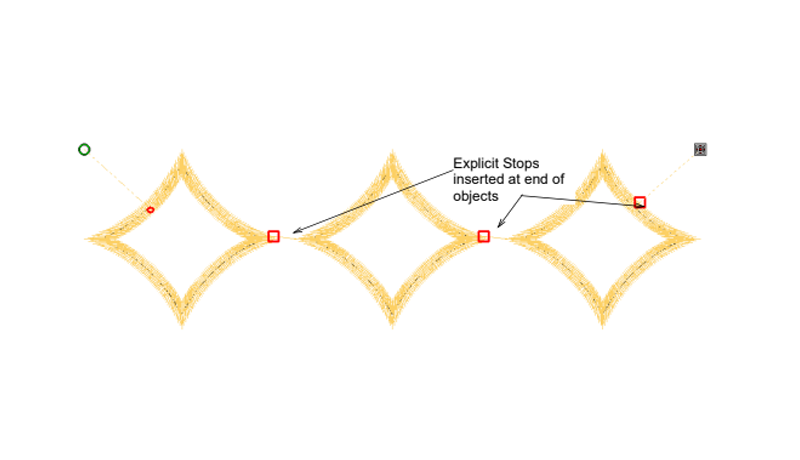
The new Stop Function gives you greater control during the embroidery process by allowing you to pause the machine exactly where needed within a design. This is especially useful for appliqué placement, quilting techniques, adding mixed-media elements, or incorporating speciality materials during stitching. Instead of manually monitoring the machine and trying to pause at the right moment, the Stop Function creates intentional stopping points directly within the design workflow for smoother, more accurate production.
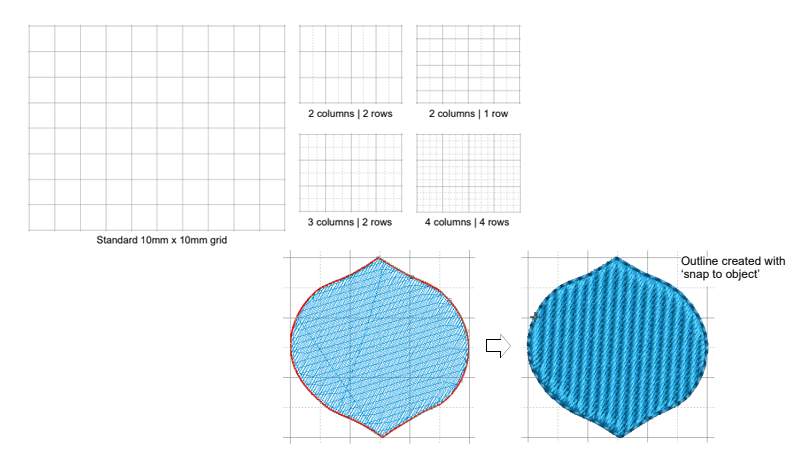
IMPROVED Grids, Guides & Snap
The enhanced Grids, Guides & Snap tools make aligning and positioning embroidery designs faster and more precise than ever. Improved snapping behaviour and clearer visual guides help users accurately place objects, lettering and design elements with less manual adjustment. Whether creating logos, monograms, quilting layouts or multi-piece embroidery designs, these upgraded alignment tools help improve workflow speed and design accuracy.
IMPROVED Appliqué Pattern Printing
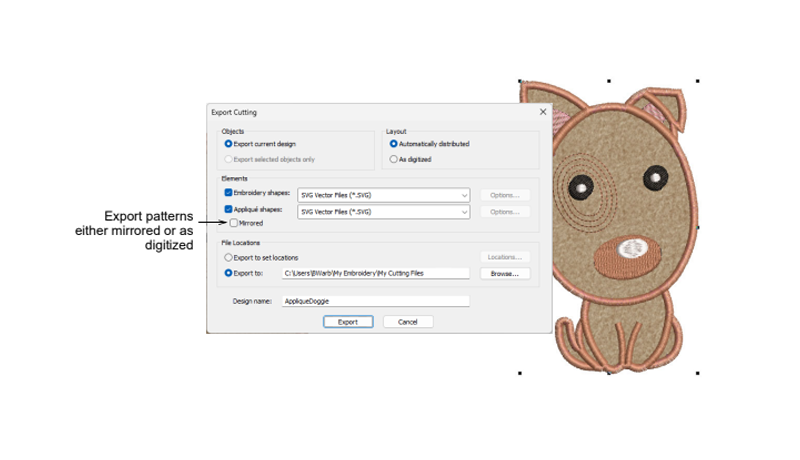
The improved Appliqué Pattern Printing feature provides greater flexibility when preparing appliqué projects by allowing placement templates to be printed either mirrored or exactly as digitized. This makes fabric preparation and placement easier, especially for more detailed or layered appliqué designs. The enhanced printing options help improve accuracy during cutting and positioning while giving embroiderers more control over their appliqué workflow.
IMPROVED Design Explorer
The improved Design Explorer offers a more intuitive and user-friendly way to manage embroidery objects and design elements within a project. With clearer organisation and easier navigation, users can quickly locate, select and edit individual components of a design. This helps simplify complex projects and improves overall workflow efficiency when working with layered embroidery designs, appliqué or detailed digitizing work.
IMPROVED Revert to Factory Settings
The improved Revert to Factory Settings feature makes it easier to quickly reset the Hatch Embroidery 4 workspace back to its default configuration. Whether troubleshooting unexpected behaviour, cleaning up customised settings or starting fresh after experimenting with layouts and tool configurations, users can restore the software to a clean working environment with minimal effort.
IMPROVED Display Colours
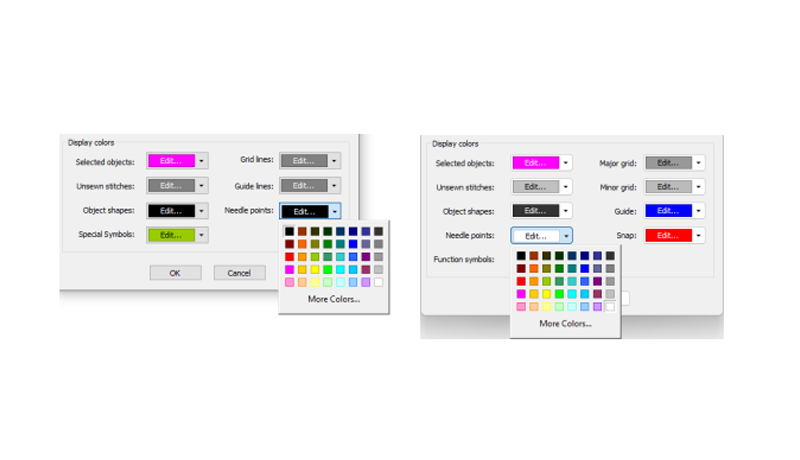
Hatch Embroidery 4 features improved display colours for better visibility and easier design editing across all embroidery elements. Enhanced colour contrast and clearer object differentiation help users more easily identify fills, outlines, stitch directions and overlapping elements while working on complex designs. This creates a more comfortable and efficient editing environment, especially during detailed digitizing sessions.
NEW Wireless Connection for Brother Machines
Hatch Embroidery 4 now supports wireless design transfer for compatible Brother embroidery machines, allowing users to send designs via Wi-Fi without needing a USB drive. This creates a faster and more convenient workflow by simplifying the connection between software and machine. Designs can be transferred directly from the computer to the embroidery machine, helping reduce interruptions and making the embroidery process smoother and more efficient.
NEW Exports Docker
The new Exports Docker allows users to monitor embroidery file conversions and export progress in real time directly within Hatch Embroidery 4. Instead of waiting without feedback, users can now easily track background processing, completed exports and conversion statuses from a dedicated workspace panel. This helps improve workflow efficiency, particularly when exporting multiple designs or working with larger, more complex embroidery projects.
Enhanced Connector & Trim Display
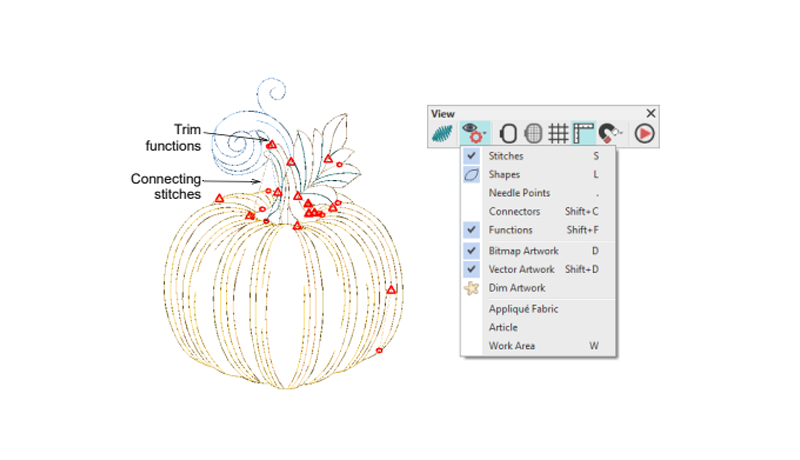
The Enhanced Connector & Trim Display gives users a clearer visual preview of stitch paths, travel runs, and trims before sending a design to the embroidery machine. By making connector stitches easier to identify during the digitizing process, Hatch Embroidery 4 helps users better optimise stitch order, reduce unnecessary trims and create cleaner overall embroidery results. This improved visibility makes design planning faster and helps minimise surprises during stitch-out.
IMPROVED Automatic Connectors & Trims
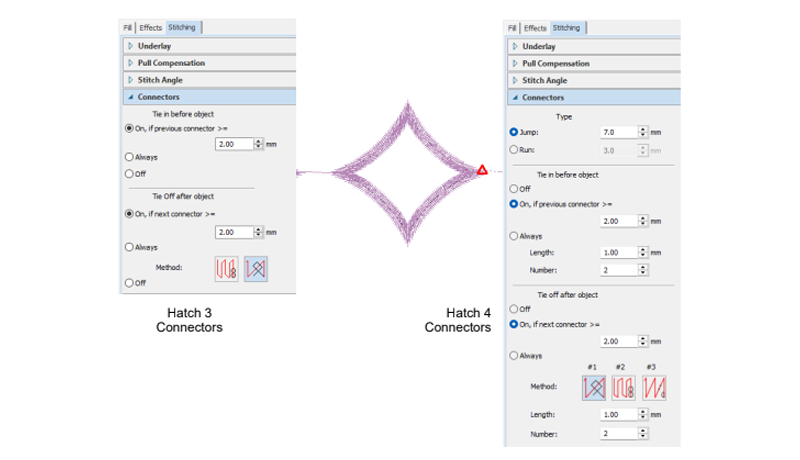
The improved Automatic Connectors & Trims feature helps create cleaner, more efficient stitch paths with less manual editing required. Hatch Embroidery 4 automatically manages travel stitches, trims and object connections more intelligently, helping reduce unnecessary thread cuts and minimise visible jump stitches. This not only improves the overall finish of your embroidery designs but can also help reduce machine running time and make designs easier to stitch out professionally.
LIMITED USE Rounded Rectangles
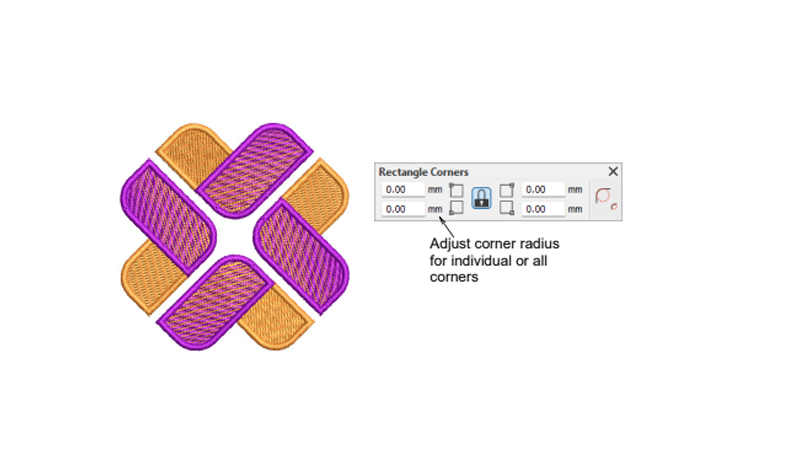
Design polished layouts, frames and logo elements more easily with the new Rounded Rectangles feature. Instead of manually adjusting corners or creating custom shapes from scratch, Hatch Embroidery 4 allows you to quickly generate clean rounded rectangle objects with a professional finish. This is ideal for badge designs, labels, monograms, logo backdrops and decorative embroidery layouts where softer corners create a more refined appearance.
lIMITED USE Continue Digitizing
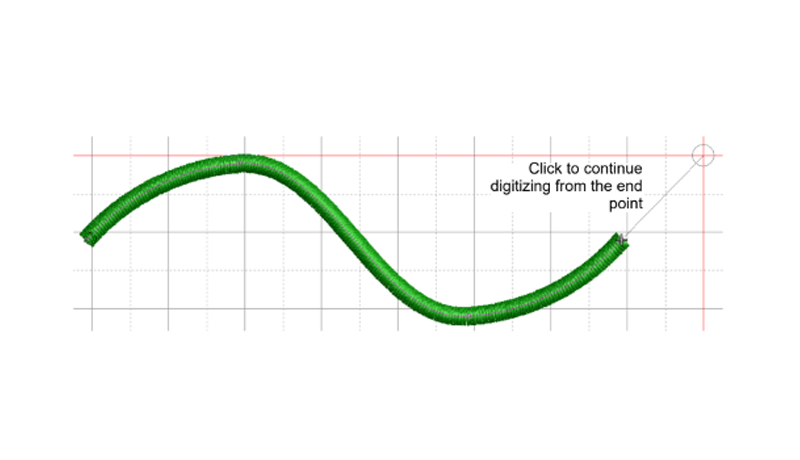
Continue Digitizing helps streamline the embroidery design process by allowing you to extend existing objects without needing to start over. Instead of creating separate pieces or redrawing sections, you can continue building directly from your current object for smoother editing and faster digitizing. This feature is especially useful for complex designs, lettering, borders and decorative elements where maintaining flow and consistency is important.
LIMITED USE Multi Blend
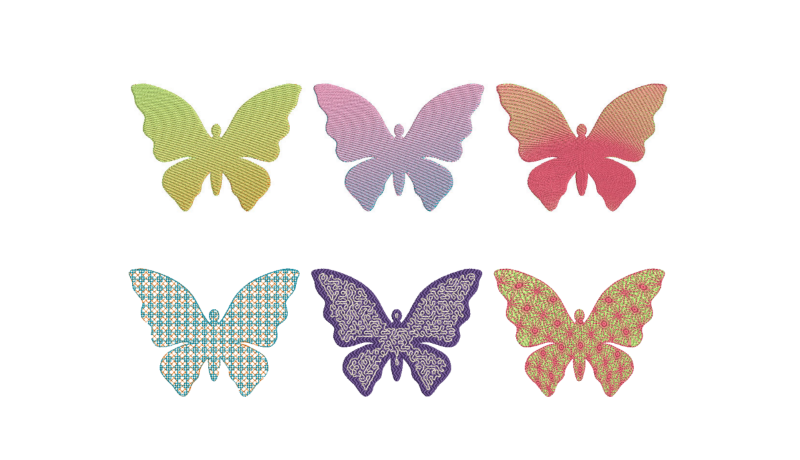
Create beautifully smooth colour transitions, gradients and shading effects with the new Multi Blend feature in Hatch Embroidery 4. Instead of relying on separate objects or manual layering techniques, Multi Blend allows you to create flowing colour changes within a single editable object. This opens up new creative possibilities for realistic embroidery, artistic fills, dimensional effects and modern embroidery styles, while still giving you full control over editing and adjustments later.
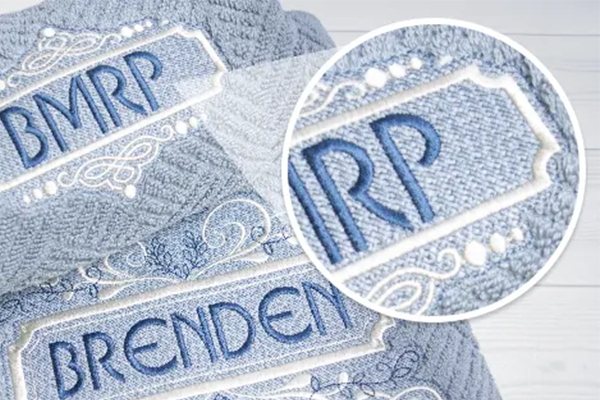
Laydown Stitch
The Laydown Stitch feature will automatically create a light fill to flatten the nap of textured fabrics like terry toweling and fur. This is to prevent the stitches from getting lost in the nap of the fabric, so you can achieve clean, visible embroidery.
This tool also includes a stitch type with the option of one or two layers with adjustable stitching length, angles and spacing.
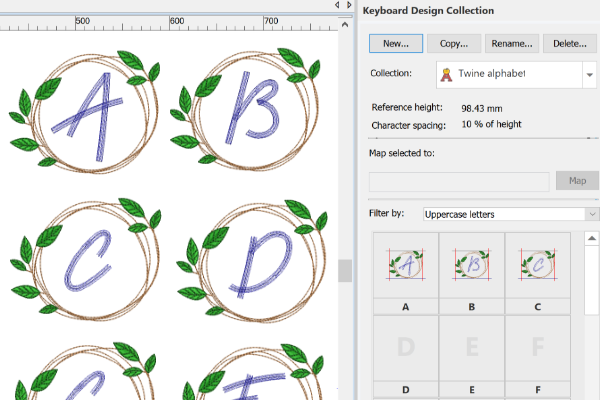
LIMITED USE* Keyboard Design Collection
In the Lettering tab of Composer V4, a Keyboard Design Collection category is available, along with pre-mapped keyboard design collections for immediate use.
*Mapping of other purchased designs is available in Digitizer.
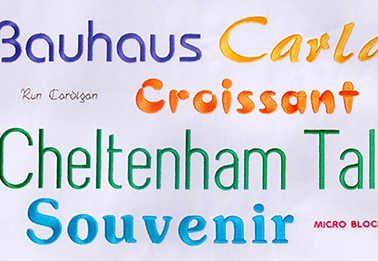
Digitized Fonts
Create distinctive designs with digitized fonts and Japanese fonts. They were created professionally to provide the highest quality lettering, now with lettering enhancements.
Center All Feature
Hatch Embroidery automatically centres your design in the hoop by default. With the manual option, you can lock the hoop position which means it won't automatically centre while you are digitizing.
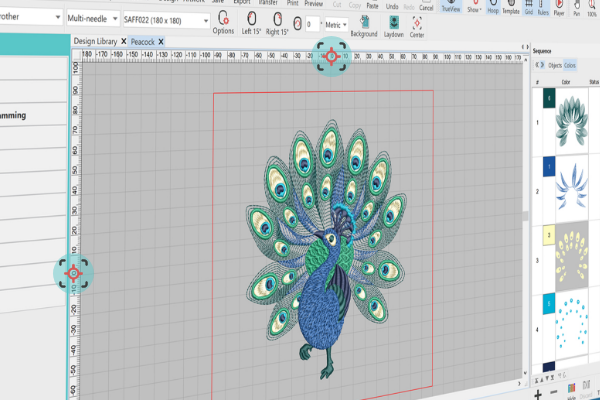
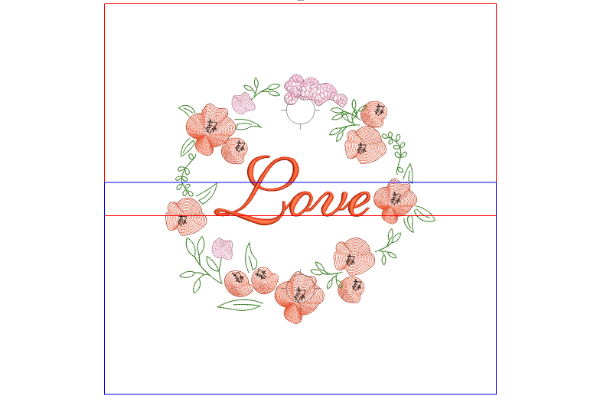
Multi-position Hoops
You can set multiple hoops, split the design into sewing fields and output the design to multiple files, each with just 1 click. Hoopings can be viewed before you finish to save time and get the perfect result. Digital placement markers can be added for perfect hoop positioning.
Hatch 3 now supports all known Brother and Babylock multi-position hoops, as well as the ability to split files into separate hoopings. Hoops include:
- 100mm x 172mm
- 130mm x 300mm
- 360mm x 360mm
Fills & Motifs
Enhance your embroidery designs with stunning textures and borders using fills and 95 motifs (including 4 new motif sets). The possibilities are unlimited, and you have complete control over your creativity.
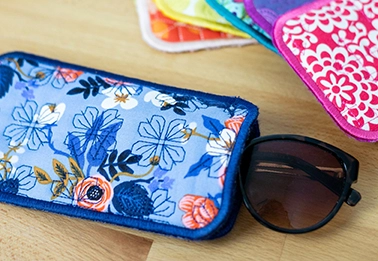
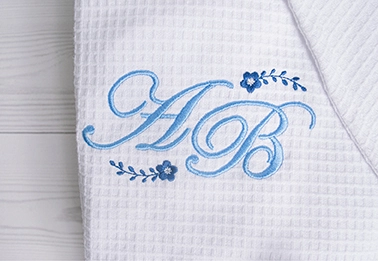
Monogramming
With 74 professionally designed templates that are ready to be stitched out, including 10 new templates, Composer V4 offers you more design options. Or, you can create your own with the included 236 ornaments and 80 borders.
All monogram templates have also been updated with the same background colour.
Sample & Alphabet Designs
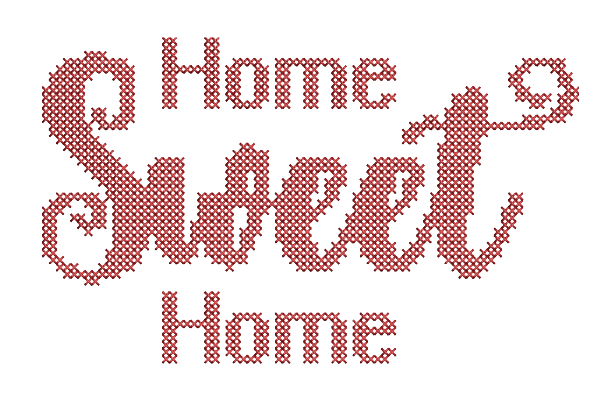
Hatch V4 includes sample and alphabet designs (2) that were created to be used with other features. Choose from a wonderful library of designs that were created for features like laydown stitch, hand stitch, reef photostitch, colour photostitch and more. This includes standard designs, emoji designs with a variety of characters, objects & symbols, 25 vintage border designs, cross-stitch designs and others.
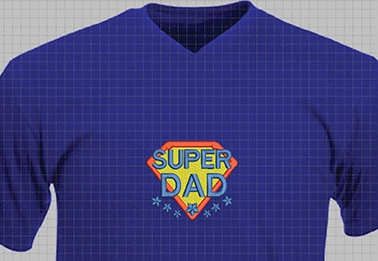
Sample Artwork
You'll find sample artwork image files that include PNG, vector (EPS) and CorelDRAW vector files (CDR). These new sample files cover a great selection of categories including baking, emojis, gardening, holidays and outlines and are great for mockups on items like shirts.
Machine Support
With improved support and enhancements for domestic machines, Hatch V4 can accommodate for many popular single-needle and multi-needle machines of all types and models.
Machine file improvements have also been made to support many popular machine file formats.
Hoop Management
You'll enjoy the hooping options in Hatch V4 which provide better hoop management for use with your designs. With a hoop list tailored to your machine and model, you can easily find and select hoops compatible with your machine. Plus, you can also create and add custom hoops that are suitable for your machine.
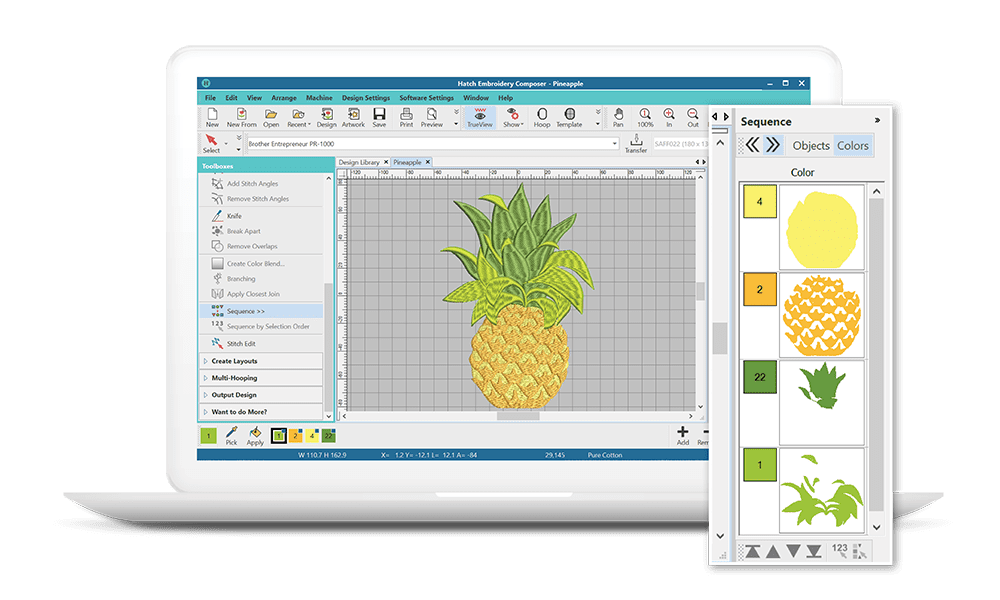
Sequence Docker
The sequencing toolbox now combines colouring and selection in reshape mode. Sequence Docker provides an easy way to view colour blocks and individual objects in a design via the objects view, so you can rearrange them to establish the stitching order. This feature will reduce many common user errors and save hours of time.
In App Hits
Learning Hatch Embroidery can take some time. From within the software, the Hints docker is a valuable learning resource. When the docker is open (the default), whenever a feature is selected, context-sensitive help appears. Each hint provides a short feature description as well as a link to a short video. Additionally it includes a link to the Hatch Academy and a reference to the relevant topic of the user handbook.
Auto-Digitize
Click-to-Stitch is like child’s play. Take an existing artwork and create beautiful embroidery designs without the technical know-how.

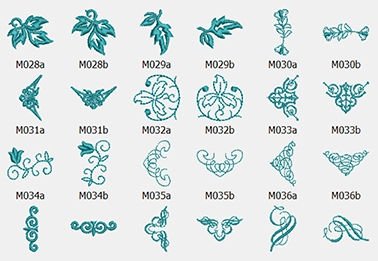
236 Ornaments and 80 Borders
A large selection of design elements are included to help you create unique designs. Perfect for beginners and experienced embroiderers.
Creativity and Layout Tools
Mirror objects in seconds, create shading with Colour Blend, design instant mandala block effects and so much more.
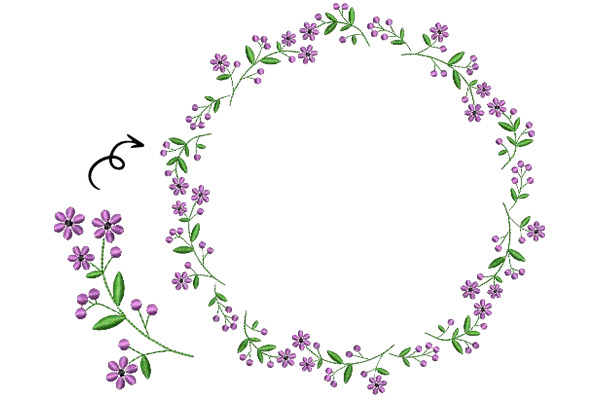
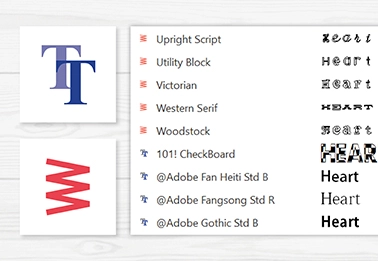
TrueType & OpenType Fonts
You can expand your library by converting TrueType or Open Type fonts from your Windows system into embroidery. Professionally digitized fonts deliver the best results.
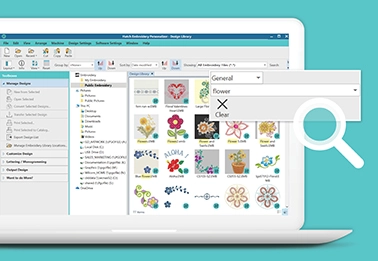
Organise your Designs
Search your entire PC in seconds and view designs without opening them up.
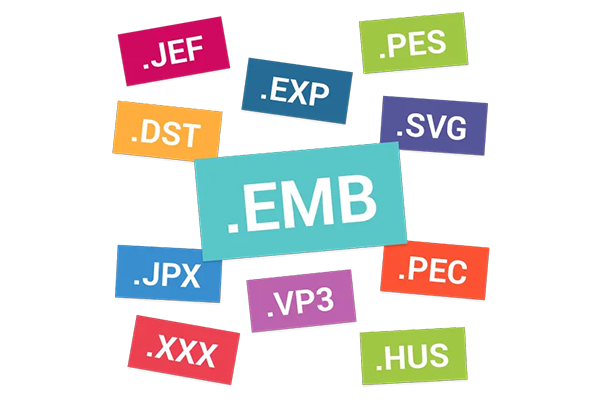
Convert File Formats
Batch-conversion saves you time. Easily convert your designs to the most popular file formats, so they’re ready to be used on almost all embroidery machines.
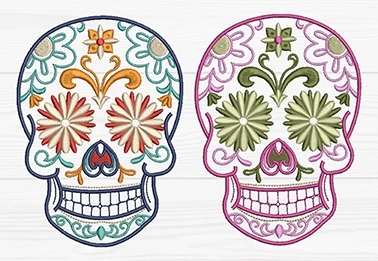
Recolour Designs
Recolour your design by choosing any colour or selecting from hundreds of thread charts. You have the ability to change the colour of a single object, or multiple at once.
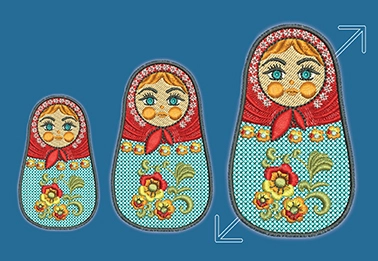
Resize Your Designs
Resize true object-based designs in Hatch V3. It will recalculate the stitches required for perfect results.
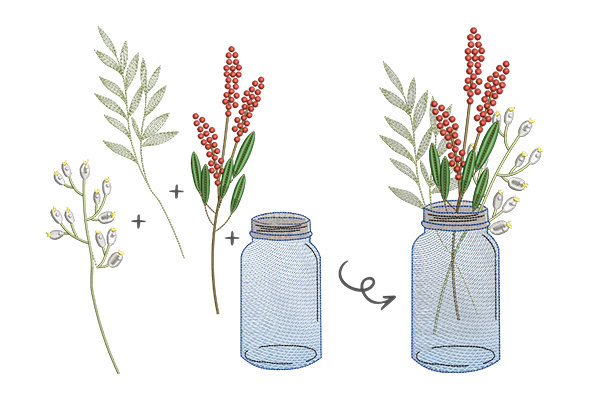
Combine Designs
Create unique, personalised designs with the ability to combine both text and objects.
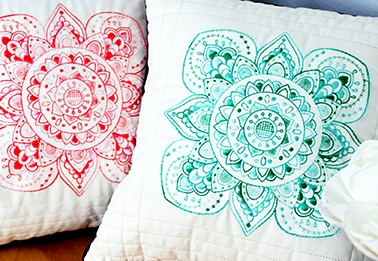
Customise Designs
Customise designs to your liking with features like rotation, stitch spacing adjustment (density), recognising stitches to convert to objects and more.
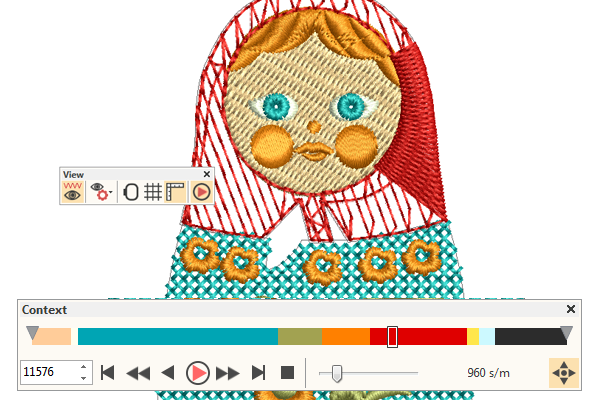
Stitch Simulator
Save time, money and supplies by testing your designs on-screen before going to your machine. The TrueView stitch simulator will show how your design will stitch out.
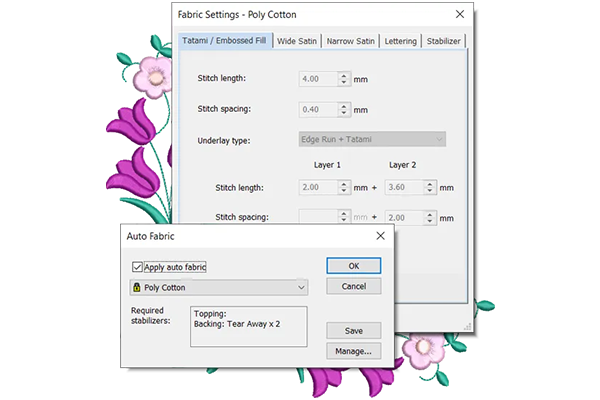
Auto Fabric
Hatch will automatically adjust the underlay, pull compensation and density for your chosen fabric for best stitch results.
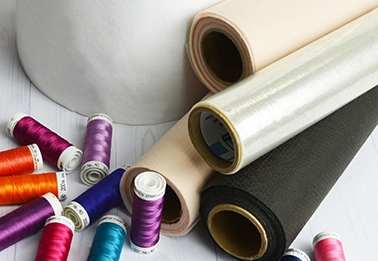
Stabilizer Recommendation
With the Auto-Fabric feature, Hatch will recommend the appropriate stabilizer so can achieve the best stitch results every time.
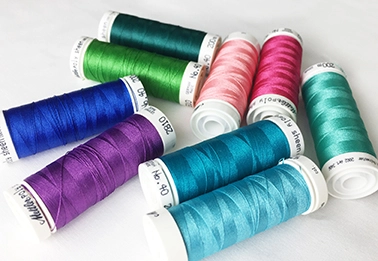
Match Your Thread Brand
Hatch includes a number of thread charts so your colour matching is perfect. Edit the existing or create your own custom charts.
Hatch Add-on GEM
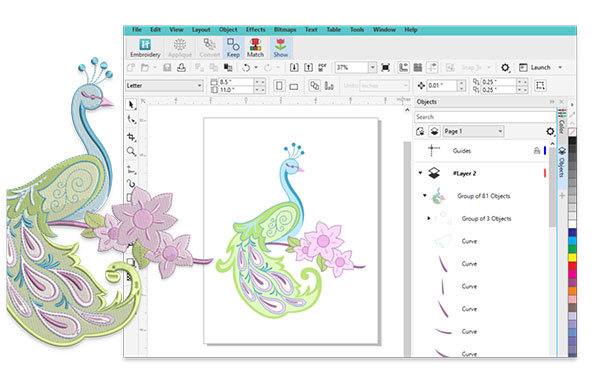
CorelDRAW GEM
Hatch's CorelDRAW add-on GEM allows you to create and edit beautiful graphics which can then be imported into Hatch to produce amazing auto-digitizing results. With easy-to-use graphical drawing tools, converting controls that put you in the driver's seat, Corel PowerTRACE, bitmap image adjustment tools and more, you have so much creative freedom! Learn more about the CorelDraw GEM here →
Compare all four levels of Hatch embroidery software and their key features to find out which one is best suited for you using our comparison chart →
Experience the Hatch Embroidery Digitizer for yourself.
Experience the incredible capabilities of Hatch embroidery software and download the free full 30 day trial below. Should you decide to purchase Hatch in the future, you'll also receive an exclusive Silver Pass to the Hatch Academy worth $199USD.
Find the right interest-free payment option for you
Have you found an item you love and want to take it home today? Don't wait! Interest-free finance options let you buy what you want now - and pay for it over time. Explore the different options available, and find the right plan for you.

For orders over $200. Up to 36 months interest-free available.

Divide your purchase into four interest-free installments on orders between $30 and $1500.
Purchases between $350 to $1,000. Interest-free always.

Purchases between $1,000 - $5,000 from 3 months interest-free.
Afterpay is a buy now, pay later platform that lets you pay for your items in 4 instalments over 6 weeks, interest free.
Traditional Layby
If none of these finance options suit you, why not use Echidna's standard layby option.
All finance options are subject to applicant approval. Terms and conditions of each financial institution apply.

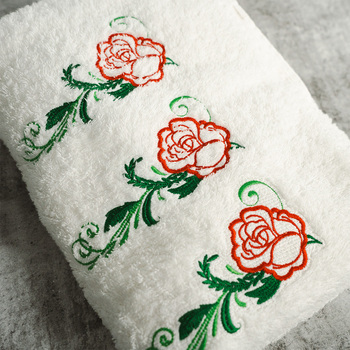
Understanding Knockdown Stitches
If you've ever embroidered a towel, fleece or another textured fabric, you may have noticed the fibres of the fabric showing through or covering parts of your embroidery. A knockdown stitch , also sometimes referred to as a laydown stitch , is a light layer of stitching placed underneath an embro...
Read more
Associating Files with Your Preferred Software
File association issues can be a common challenge for embroidery enthusiasts. Embroidery files may sometimes be linked to the wrong application, no application at all, or an app that isn’t your preferred embroidery software. These mismatches can make it frustrating to access and work with your desig...
Read more
Do You Need Embroidery Digitizing Software?
With so many embroidery software options available, it can be difficult to know what’s right for you or even whether you need digitizing software at all. Over the years, we’ve spoken to many customers who purchased advanced software only to discover they rarely used it. Others bought full digitiz...
Read more
Hatch Software Comparison
Hatch embroidery software includes four levels; Organizer, Personalizer, Composer and Digitizer. The levels vary in features, and are perfect if you are learning and want to start at a lower level and upgrade as your skills grow. Below is a chart which allows you to ...
Read more
Wilcom leads in innovative embroidery software. At Echidna, we offer hatch embroidery, which delivers powerful tools and pro results. Trusted in 100+ countries, Wilcom drives creativity with advanced tech for all embroiderers.
Read more...
More From This Category
Your Browsing History

You will have remaining
You'll be able to access this product immediately. It will also be available in your website account and we'll send you a confirmation email.
Item added for comparison

You're off to a great start! Add more products to compare features, prices, and find your perfect match.
View and compare your selected products any time using the tab on the right.