Why Your Embroidery Machine Can’t Read a JPEG or PNG
Embroidery machines are incredibly capable, but they work very differently from computers and design software. This can catch new users off guard, especially when working with images for the first time.
You might have found the perfect image. Maybe it’s your business logo, a cute graphic you purchased online, or something you created yourself. You save it as a JPEG or PNG, load it into your embroidery machine, and nothing happens. No preview. No stitching. Just frustration.
The issue isn’t the design. It’s the file type.
Embroidery machines don’t work with images the way computers do, and once you understand why, everything else starts to make sense.
Why Image Files Don’t Work on Embroidery Machines
Embroidery machines don’t “see” pictures like we do. They don’t recognise colours, outlines, or shapes visually. Instead, they follow instructions.
A proper embroidery file tells the machine:
- Where to start stitching
- What direction the stitches should go
- How many stitches to use
- What type of stitch to apply
- When to change thread colour or trim
A JPEG or PNG doesn’t contain any of this information. It’s just pixels, which are perfect for screens but useless for a needle.
An embroidery file such as PES, JEF, or DST, however, contains all of these stitch instructions and can communicate them directly to your machine. If you’re unsure which format your machine supports, you can learn more about the different embroidery file formats here.
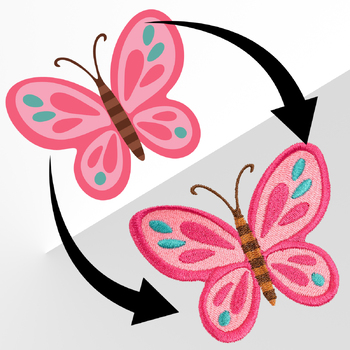
To get from picture to stitches, you need a conversion process called digitizing.
A simple way to think about it is this:
- A JPEG is a picture of a finished cake.
- An embroidery file is the full recipe, including ingredients, method, and baking instructions.
What Digitizing Actually Does
Digitizing is the process of turning a flat image into a set of instructions your embroidery machine can follow. This isn’t automatic. It’s part technical, part creative, and completely essential.
When a design is digitized, someone, or software, makes deliberate decisions about how that design will physically stitch onto fabric. These decisions include:
- Stitch types – Should an area be satin stitch, fill stitch, or run stitch?
- Stitch angle and direction – This affects the sheen, texture, and movement of the thread.
- Density – How close the stitches are. Too loose and the fabric shows through. Too tight and you risk puckering or thread breaks.
- Underlay – Hidden support stitches that stabilise the fabric underneath.
- Start and stop points and trims – To prevent unnecessary jumps and messy thread paths.
- Thread colour changes – So the machine pauses at the correct times.
If this sounds complex, that’s because it is.
Digitizing is what brings a design to life. Without it, even the best-looking artwork can stitch out poorly.
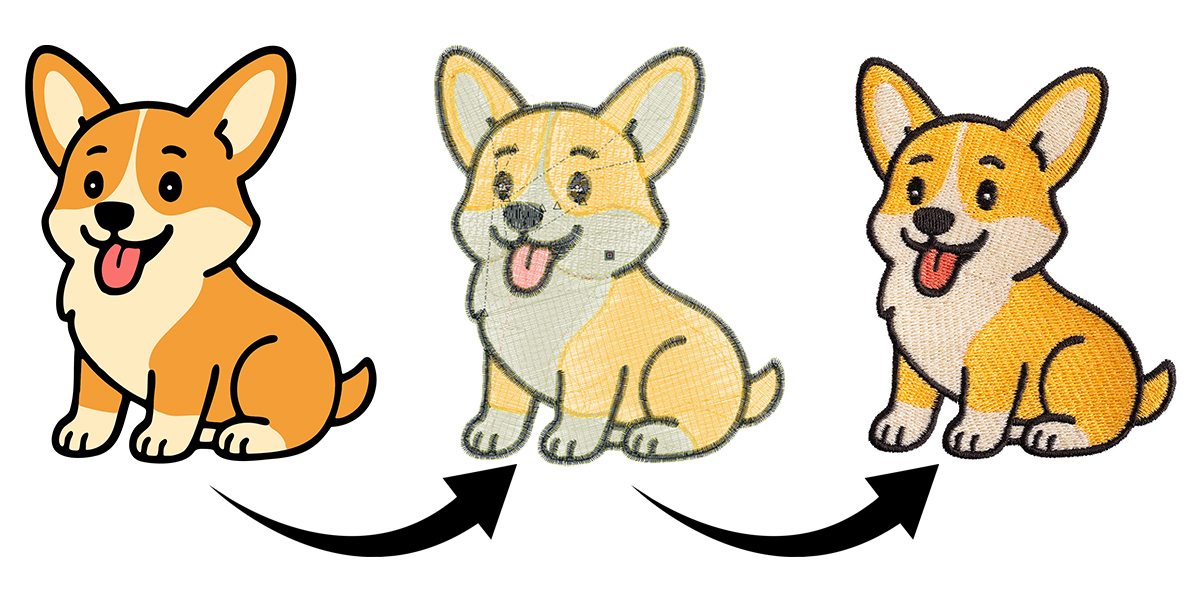
It’s also important to understand that embroidery is three-dimensional. Stitches sit on top of the fabric, creating height and texture. Stitch direction, layering, and thread build-up are all part of the digitizing plan.
If you’ve ever seen an embroidery design that looks smooth, balanced, and dimensional, you’ve seen good digitizing at work.
Should You Digitize Yourself or Outsource It?
Now that you understand what digitizing is, the next question is practical. Do you digitize your own designs, or do you hire someone else to do it?
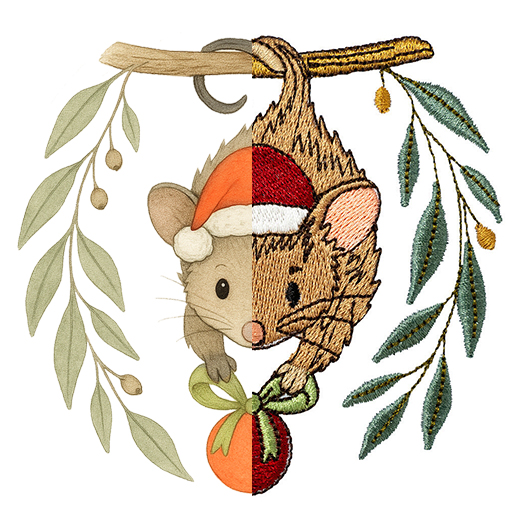 Option 1: Digitize It Yourself Using Software
If you enjoy learning new skills and want full control over your designs, digitizing your own files can be very rewarding. However, it does take time, practice, and the right software.
There are digitizing programs available for different experience levels, from beginner-friendly options through to advanced commercial software. Each offers different tools, levels of control, and learning curves.
Digitizing is a skill, just like embroidery itself. Results improve over time as you learn how stitches behave on different fabrics.
Option 2: Outsource to a Professional Digitizer
Many embroiderers start by outsourcing digitizing, and many continue to do so long term.
With outsourcing, you send your image, specify your hoop size and machine format, and receive a ready-to-stitch embroidery file.
Benefits include:
- Fast turnaround
- No learning curve
- Professional results from the start
Things to be aware of:
- Quality can vary between providers
- Cheaper overseas services can be hit or miss, although they can offer great value if you find a reliable one
- Costs can add up if you’re digitizing lots of designs regularly
Tip: You Don’t Have to Choose One Approach
You don’t need to commit to a single method forever. Many small businesses outsource more complex work and use software for simpler designs, adapting as their skills and needs grow.
You Don’t Always Need to Digitize
It’s also worth knowing that you don’t always have to create your own embroidery files.
There are thousands of ready-made embroidery designs and in-the-hoop projects available online. These are already fully digitized and ready to load straight into your machine. You simply purchase the design in the correct file format for your machine and start stitching.
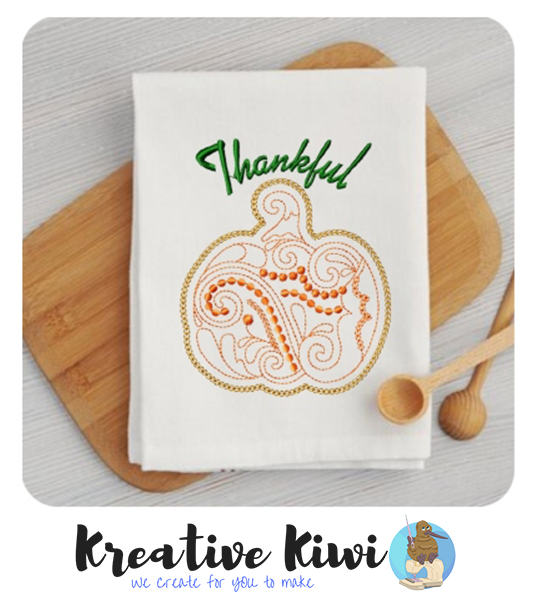 This is how many embroiderers begin. Instead of learning digitizing straight away, they build their skills using professionally created designs.
There are many reputable design providers online, including:
These companies specialise in ready-to-stitch embroidery files and in-the-hoop projects, which are designed to work exactly as intended without you needing to adjust or create the stitch data yourself.
For many hobby embroiderers and small businesses, purchasing ready-made designs is the simplest and most cost-effective option.
Digitizing becomes important when:
- You want to create your own custom logos
- You need personalised artwork
- You are building a brand and require original designs
- You want complete control over the stitch structure
If you simply want beautiful projects to stitch, ready-made designs are often the easiest place to start.
Embroidery is more than decoration. It is functional, dimensional art. Every successful stitch-out starts with one thing: a well-digitized file.
A JPEG or PNG shows how a design looks. A digitized embroidery file tells the machine how to stitch it.
Whether you decide to digitize your own designs or partner with a professional, understanding this process is key to achieving better embroidery results and avoiding unnecessary frustration.
Start with the right file, and everything else becomes easier. Your machine can finally do what it was designed to do.